
10
Free
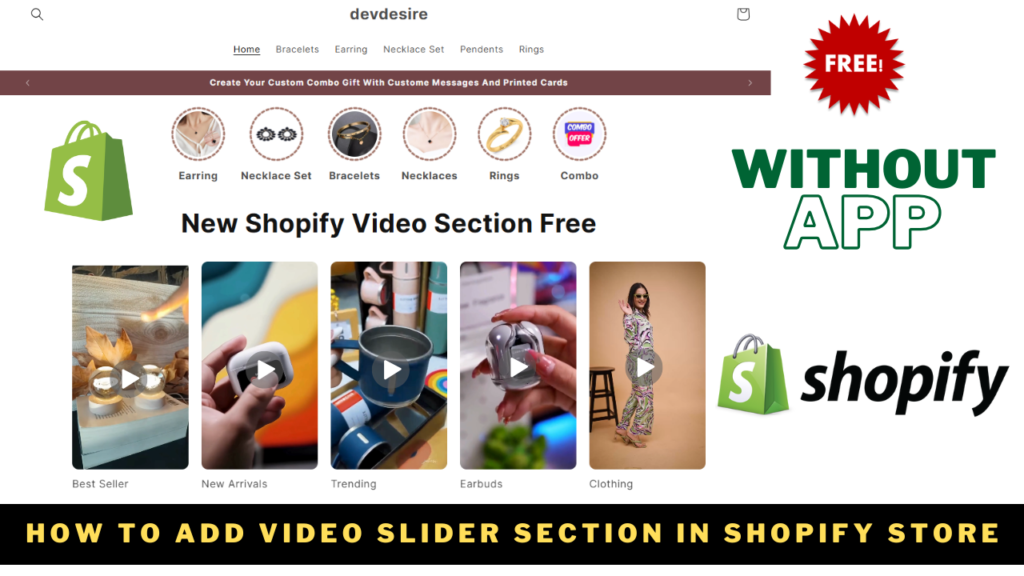
How to Create a video Slider in Shopify Free
Dharmraj
Aug 27, 2026
16 views
4.8 (24 reviews)
Section
Read more about How to Create a video Slider in Shopify Free in this section.
Video sliders are an excellent way to showcase your products or collections visually and interactively on your Shopify store. In this guide, we???ll walk you through the steps to create a custom video slider in Shopify using a code snippet.
What is a Video Slider in Shopify?
A video slider in Shopify allows you to display multiple videos in a scrolling carousel format. It???s perfect for engaging customers, showing product demonstrations, or highlighting various collections in your store.
Steps to Create a Video Slider in Shopify
Follow these steps to integrate a video slider in Shopify into your store:
Step 1: Access the Shopify Admin Panel
- Log in to your Shopify Admin account.
- Navigate to Online Store > Themes.
- Click Actions > Edit Code on your active theme.
Step 2: Add a New Section
- In the theme editor, find the Sections directory.
- Click Add a new section.
- Name the section (e.g., video-slider).
Step 3: Paste the Code
- Copy the following code snippet and paste it into the new section file you created:
Step 4: Customize the Video Slider
- Go back to your Shopify Admin Panel.
- Open the Theme Customizer by clicking Customize under your theme.
- Add the newly created video slider in Shopify section to your desired page.
- Upload videos, add URLs, and customize text for each video block.
Step 5: Save and Preview
- Save your changes.
- Preview your store to see the video slider in action!
Why Use a Video Slider in Shopify?
- Boost Engagement: Videos attract more attention compared to static images.
- Showcase Products: Demonstrate products in use or highlight features effectively.
- Enhance Mobile Experience: This slider is mobile-responsive and ensures a smooth user experience on smaller screens.